
Say what you need. Your computer does it.
Zeus puts every AI you use on your own computer, with the hands to act on it. It opens apps, clicks, types, files things away, writes and sends. It answers you from your phone, and it can run a private model that never leaves your machine. We install it and set it up with you.
Every AI you use, in one place
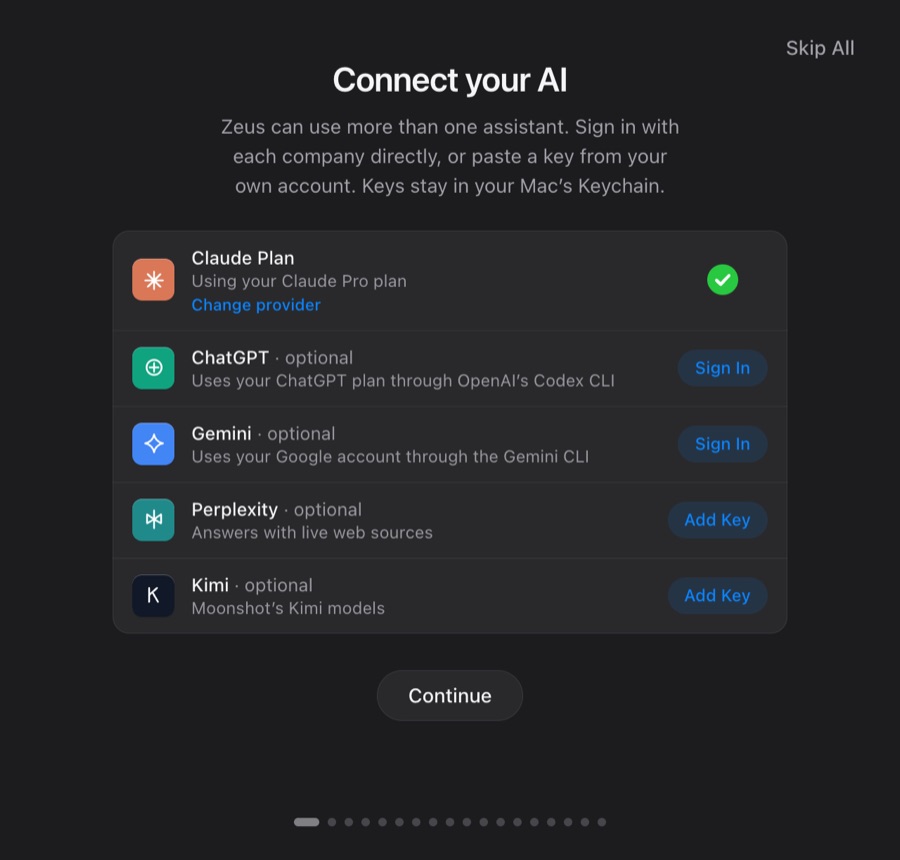
Sign in once, use them all
Claude leads. ChatGPT and Gemini connect with each company’s own sign-in, so your plan does the work and Zeus never sees your password. Perplexity and Kimi take a key from your own account, kept in your Mac’s Keychain.
Zeus picks the right one for each job, or asks several at once and merges the answers.
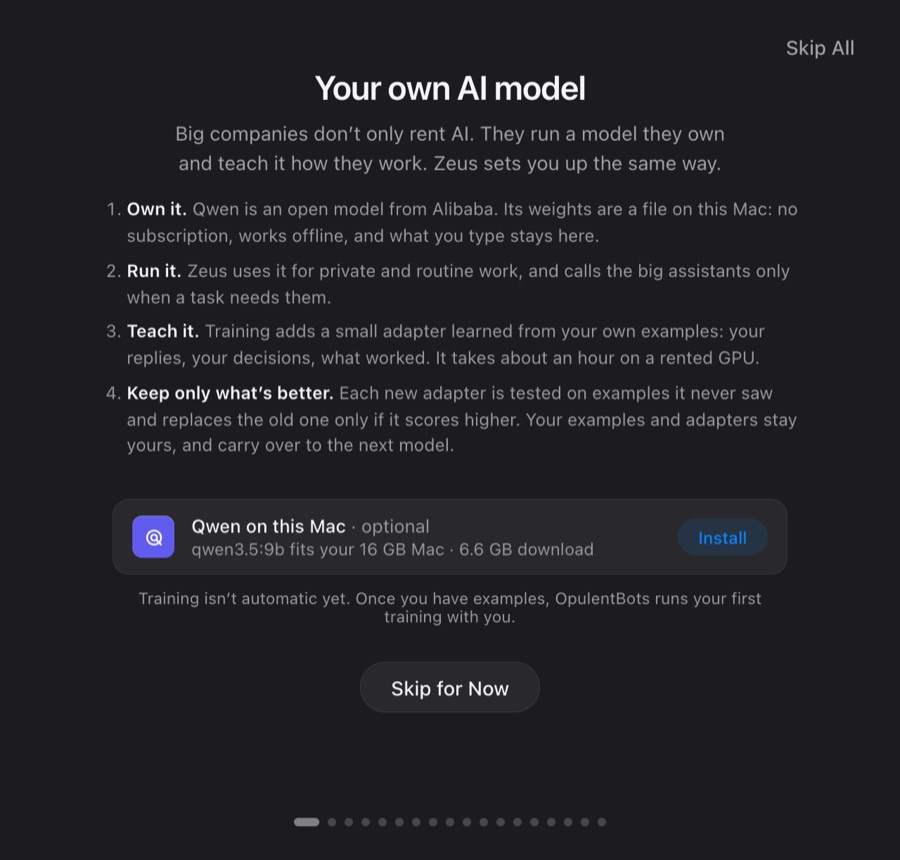
Your own AI model
Big companies don’t only rent AI. They run a model they own and teach it how they work. Zeus installs Qwen, an open model, on your computer, sized to its memory. It works offline, costs nothing per question, and what you type stays with you.
When you have enough examples of your own work, we train an adapter on them and keep it only if it beats the last one on tests it has never seen.
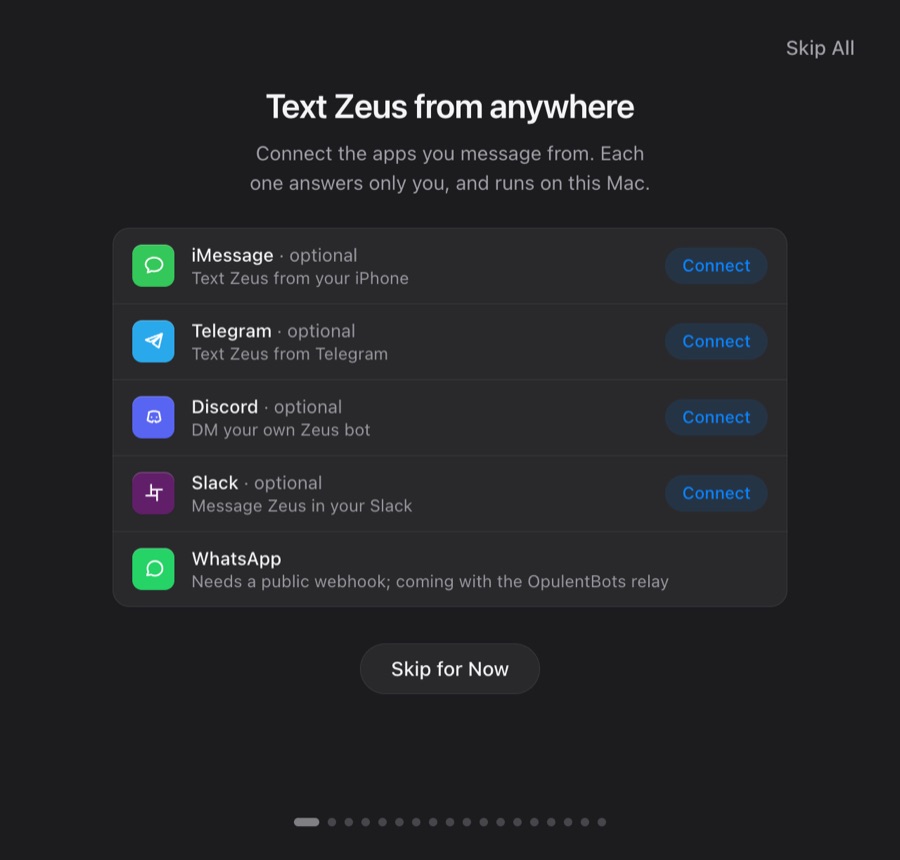
Text it from anywhere
Text Zeus from your phone and it does the job on your computer, then texts back. Each app answers only you. Telegram pairs with a one-tap link, Discord and Slack answer only the owner, and iMessage only answers the numbers you choose.
You choose how much it does alone
Setup then walks you through every permission that level needs, one button each, straight to the right switch in System Settings.
Runs on your computer
Any Mac on macOS 26 (Tahoe) or later. Installed and set up with you by OpulentBots.
The same Zeus for Windows laptops and desktops. Join the list below and we’ll set yours up when it ships.
Zeus Starter Pack
Set up for you
- Zeus installed on your computer, with the shortcut, voice and dictation set up
- Your AI connected: Claude plus ChatGPT, Gemini, Perplexity or Kimi, using your own accounts
- Your own private model: Qwen installed and tested on your machine
- Your message apps connected: iMessage, Telegram, Discord or Slack, answering only you
- Permissions done right: your autonomy level chosen and every switch it needs turned on
The AI subscriptions you connect (Claude, ChatGPT and others) are billed by those companies to your own accounts.
Questions people ask
Do I need to be technical?
No. We do the setup with you on a call. After that you hold the shortcut and talk, or send it a text.
Which computers does it run on?
Macs today. Windows PCs, including HP laptops, are in development. If you’re on Windows, join the list and we’ll set you up when it ships.
Do I need a Claude or ChatGPT subscription?
Zeus works through the AI accounts you already have. A Claude plan gives it the most ability. You can add ChatGPT, Gemini, Perplexity or Kimi with your own accounts, and the private Qwen model costs nothing to run.
Can it send or buy things without asking?
Only if you choose full autonomy. On Assisted, Zeus shows an Allow card before it sends, posts, buys or deletes anything. You can change the level any time in Settings.
What can I text it?
Anything you would ask it at your desk: “find the invoice from Tuesday and email it to Sam”, “what’s on my calendar tomorrow”, “draft a reply to the last message from the landlord”. It does the work on your computer and texts back.
Not ready to book? Get on the list.
Tell us which computer you use. Windows users hear first when Zeus for Windows ships.